Convert watts to cr & cdA: Define your Rider for realistic simulations
These articles might also interest you:
Why watts alone aren’t enough (and why cr & cdA matter in your Rider)
Many sources report losses as watts — for example, “Rolling Loss: 18 W” or “Aero Loss: 210 W” — usually at a specific speed.
The catch: watts depend on speed. If two tests are done at different speeds or under different conditions, the watt numbers aren’t directly comparable.
That’s why RaceYourTrack relies on defining your Rider using the underlying coefficients:
- cr: rolling resistance of your setup (tires, pressure, surface)
- cdA: your aero signature (position, helmet/suit, cockpit — everything exposed to airflow)
These two parameters are core inputs for simulation and determine how “expensive” speed really is on your route.
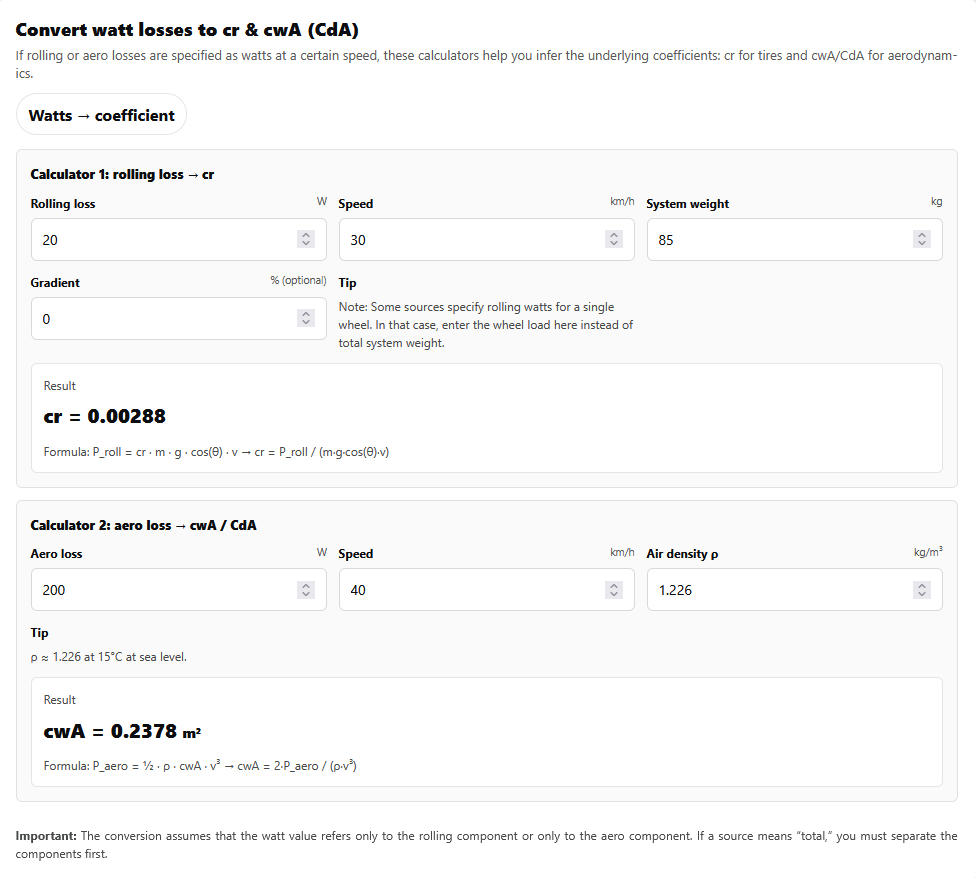
👉 Convert now: Watts → cr & cdA calculator
Mini calculator 1: Rolling watts → cr
If you have rolling losses in watts at a given speed, you can convert them to cr.
Simplified flat-road formula:
cr = P_roll / (m · g · v)
- P_roll = rolling loss in watts
- m = mass (kg)
- g = 9.81 m/s²
- v = speed (m/s)
Quick note: Some sources report rolling watts per wheel (front/rear). In that case, use the corresponding wheel load (mass) here — not total system mass.
👉 Open rolling calculator: Watts → cr
Mini calculator 2: Aero watts → cdA
For aerodynamics, required power rises steeply with speed (≈ v³).
Formula:
cdA = 2 · P_aero / (ρ · v³)
- P_aero = aero loss in watts
- ρ (rho) = air density (kg/m³)
- v = speed (m/s)
Tip: If your source doesn’t provide air density, start with ρ ≈ 1.226 kg/m³ (15°C, sea level) — or take ρ directly from the RaceYourTrack Bike Calculator.
👉 Open aero calculator: Watts → cdA
The RaceYourTrack workflow: From test data to Rider (and then to simulation)
To get realistic simulation results, you ultimately don’t want “watt losses” — you want a Rider defined by cr and cdA.
1) Start with data from a source
- rolling loss watts at a given speed → convert to cr
- aero watts at a given speed (+ air density) → convert to cdA
2) Define your Rider
Enter cr and cdA in your Rider (plus mass/power depending on your setup). This makes your physics profile consistent.
3) Run Simulation & TrackIQ
Now you can compare setups with real outcomes — not guesses — as time and speed profiles on your course:
- tire change (lower cr) → how much time do you save?
- position/setup (lower cdA) → where does it matter most?
👉 Start simulation: RaceYourTrack – routes, riders, simulation
Bonus: Put cdA/cr into context
If you want the bigger picture of why these parameters are so central in the model, this article is a good follow-up:
Conclusion
If you want to use external test values or published data inside RaceYourTrack, the best path is:
watt losses → cr & cdA → define your Rider → run the simulation.
👉 Go to the calculator: Convert watts → cr & cdA